


Easy Mail - Email Launcher
4.28.50K Reviews
App Specs
- Version
- 1.03.06
- Updated On
- License
- Free
- Downloads
- 1,000,000+
- Developer
- App Lab Studios
- Categories
- Personalization
- Platform
- Android
Screenshots
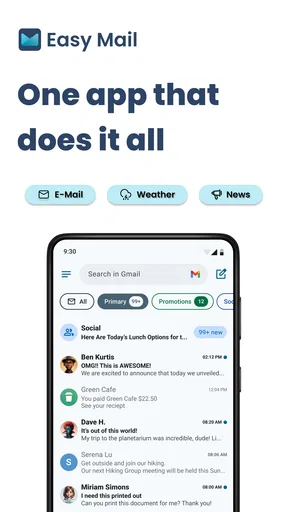
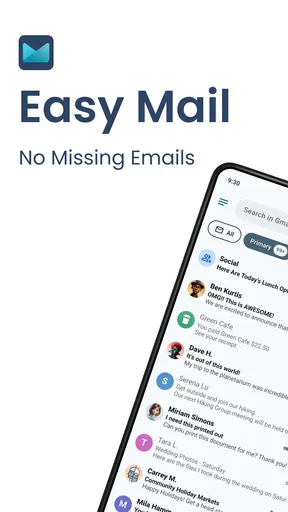
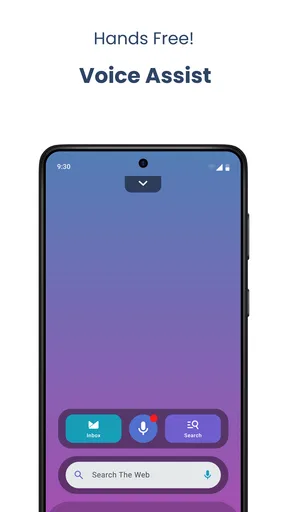
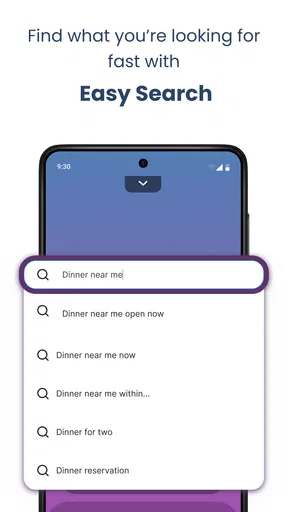
 Analysis by AppCompare
My main question with Easy Mail - Email Launcher is how well it fits into a real mobile routine, where the inbox competes with messages, meetings and everything else on screen. It’s a free personalization app from App Lab Studios, rated for Teen users, and its central idea is to make email easier to reach rather than turn it into a full productivity system. The current version is 1.02.37, and the app has an average rating of 4.2 from around 14,000 ratings, with more than 1 million installs. Those figures suggest a well-used option, but I’d judge it by whether its shortcuts actually save me time day to day.
When the connection becomes part of the experience
Email is only useful when the information you need can reach the app. A new message, a refreshed inbox and a reply sent on time all depend on connectivity at some point, so I would treat Easy Mail as a convenient doorway to email, not as a way around a poor connection. If service is patchy, the sensible habit is to open important messages and prepare replies while things are working, rather than assume a notification or a refresh will arrive exactly when needed.
That distinction matters if you use email for time-sensitive plans. Before heading into a place with unreliable reception, I’d check for the address, ticket or instructions I need while I’m still connected. A launcher can reduce the steps to reach the inbox, but it cannot make network delays disappear. For casual reading that may be a minor annoyance; for a deadline or a travel change, I’d keep a backup way to access essential details.
Built for quick mobile checks
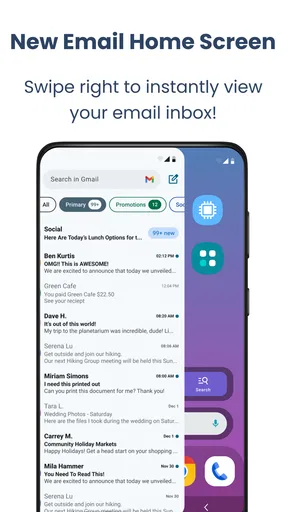
The swipe access and home screen widget make the most sense for people who check email in short bursts. I can imagine glancing at the inbox between errands, tapping into a message while waiting for a pickup, or using a quick reply when a long response would be unnecessary. The value is not that email becomes effortless; it’s that the first step can feel less buried among other apps.
There is a trade-off, though. Putting an inbox shortcut or widget in a prominent place can make email easier to reach, but it can also make incoming work harder to ignore. I’d place it where it helps with intentional checks, not somewhere that constantly pulls my attention away. If you already feel overwhelmed by notifications, a simpler home screen and scheduled inbox checks may be a better fit than adding another visible prompt.
What to do when things don’t go smoothly
When a message seems stuck, I wouldn’t immediately assume the app has lost it. I’d first check whether the phone has a working connection, then reopen the inbox and give it a moment to refresh. If the app is behaving oddly, closing and reopening it is a reasonable basic step before changing account settings. These are ordinary troubleshooting habits, but they are especially useful with email because a network delay can look like an app problem.
For a reply that matters, I’d confirm it has actually been sent before moving on. A quick-reply workflow is handy for brief acknowledgments, but speed can encourage a tap-and-forget routine. If I’m responding to a client, confirming an appointment or sending anything that must arrive, I’d check the conversation afterward rather than relying only on the convenience of the shortcut.
Worth Reading Before You Choose

EA SPORTS FC Mobile 26 Is a Bigger Football Game, but It Takes Time

Flipboard Shows What News Apps Must Do Beyond the Feed

Switching to Android Auto Means Rethinking Your Driving Routine

Google Calendar Makes a Crowded Week Easier to Manage

Ludo King Makes the Most of the Minutes Between Plans

Baby Panda World Brings Quick Play to Modern Phones, but Its Game Library Feels Busy
Keeping mobile use focused and data-conscious
Frequent inbox refreshes and notifications can make a connected app feel busier than it needs to be. I’d start with only the accounts I genuinely check on the phone, and I’d avoid turning every message into an interruption. That is a practical way to keep the home screen useful while reducing the temptation to revisit email whenever there is a spare moment. It also helps keep mobile data use purposeful, particularly if you often rely on a limited connection.
Easy Mail is free to install, with in-app purchases listed from $9.99 to $59.94 per item. I’d try the everyday workflow before paying for anything: see whether the widget, inbox access and replies fit your habits, and decide whether the paid options would solve a real problem for you. The app’s usefulness should come from a smoother routine, not from buying features simply because they are available.
Why Choose Easy Mail?
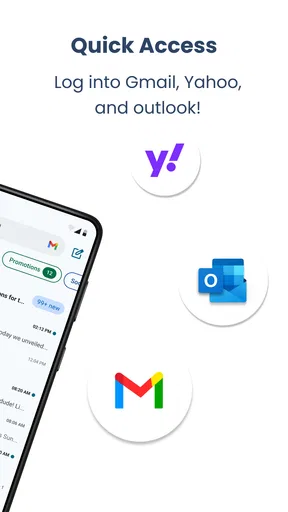
The first thing that caught my eye was the sleek design. Easy Mail - Email Launcher isn’t just about visuals, though. It's about making your daily email grind less of a chore. The app integrates with a variety of email services, so whether you're a Gmail, Outlook, or Yahoo user, you're covered.
Features That Stand Out
One feature I particularly enjoyed is the unified inbox. It's a lifesaver for those of us juggling multiple email accounts. No more flipping back and forth between apps – everything is right there in one place. The app also offers smart filters and categories that automatically sort your emails. It’s like having a personal assistant who knows exactly what you need.
Another cool feature is the quick reply option. You can respond to emails directly from the notification bar without even opening the app. Talk about convenience! Plus, the customizable swipe actions let you tailor the app to your workflow, which is perfect for those who like to keep things personal.
Performance and Usability
Performance-wise, the app is pretty snappy. Emails load quickly, and I didn't experience any lags or crashes during my time using it. The user interface is intuitive, even for someone who’s not super tech-savvy. The app walks you through the setup process in a way that’s easy to understand, which I really appreciated.
For someone deciding between this and the mail app already on their phone, I’d focus on the entry points rather than expecting a completely different email experience. Easy Mail’s appeal is its launcher-style access, widget and quick responses; a standard mail client may be a better choice if you want a familiar, established workflow and do not need those shortcuts. If you manage several inboxes, the unified view can be more useful than switching between separate apps, but I’d still check that your everyday account routine works comfortably before making it your default.
A small workflow tip: use swipe actions for decisions you make repeatedly, not for every possible email task. If an accidental swipe would cause trouble, choose a less risky action or take a moment to review what the gesture does before using it at speed. With multiple accounts, the unified inbox is convenient for a broad scan, while opening the specific account before handling sensitive or work-related messages can help you keep context straight.
Security and Privacy
Now, let's talk security. In today's world, keeping your data safe is crucial, and Easy Mail doesn't skimp on security features. The app uses encryption to protect your emails, and there are multiple layers of authentication to ensure your information stays private.
If you're worried about app permissions, the developers have been transparent about what the app accesses and why. It’s refreshing to see this level of openness, and it gives me more confidence in using the app.
Email apps handle information that can be personal or work-related, so I’d make my choice based on the privacy details and account controls I can review, not just on convenience. Before connecting an account, take time to understand the access requested and whether it matches what you expect from an email client. This is especially worthwhile if you use a shared device or manage an account that contains sensitive correspondence. Easy access is useful, but it should not replace sensible account security habits.
Who is this best for? I’d recommend trying it if you want a faster route to several inboxes, often send short replies from your phone, or like keeping email within easy reach on the home screen. It is less compelling if you rarely check mail, prefer a minimal home screen, or want a client whose main strength is advanced organization rather than quick access. And if reliable delivery is essential at a particular moment, no launcher should be your only plan: check the connection and confirm important messages have gone through.
A practical fit, not a fix for every inbox
All in all, Easy Mail - Email Launcher is a solid choice for anyone looking to simplify their email management. With its user-friendly design and robust features, it’s definitely worth checking out. Whether you're an email power user or just someone who wants to keep things organized, this app has something for you.
So, if you're ready to give your email routine a makeover, you might want to click that download link and get started with Easy Mail today. Trust me, your inbox will thank you!
My more measured recommendation is to start with one normal day: use the home screen access when you actually need to check mail, try a short reply, and see whether the added visibility makes you more organized or simply more distracted. That quick test tells you more than installing a new client and immediately moving every account over. If it fits, the free entry point makes it easy to explore; if you prefer less email on your screen, your phone’s usual mail app may suit you better.
Pros
- User-friendly interface
- easy navigation.
- Supports multiple email accounts seamlessly.
- Customizable notifications for priority emails.
- Integrated calendar feature boosts productivity.
- Secure login with two-factor authentication.
Cons
- Limited customization for email themes.
- Occasional sync delays with some providers.
- Ads can be intrusive in the free version.
- No offline access to emails yet.
- Limited support for non-traditional email.
FAQs for Easy Mail - Email Launcher
What is Easy Mail - Email Launcher and how does it work?
Easy Mail - Email Launcher is an app designed to streamline your email experience on mobile devices. It integrates multiple email accounts into one easy-to-navigate platform, allowing users to manage emails seamlessly. The app offers customizable features, quick access to contacts, and a unified inbox to enhance productivity.
Is Easy Mail - Email Launcher compatible with all email providers?
Yes, Easy Mail - Email Launcher supports a wide range of popular email providers including Gmail, Yahoo, Outlook, and more. It allows for seamless integration, ensuring that users can access and manage all their emails in one convenient location, regardless of the provider.
What are the main features of Easy Mail - Email Launcher?
Easy Mail - Email Launcher offers several key features such as a unified inbox, customizable themes, and notifications. It also includes a quick reply option, advanced search functions, and the ability to manage multiple accounts simultaneously, making email management more efficient and user-friendly.
Does Easy Mail - Email Launcher offer any security features?
Yes, the app provides robust security features to protect your sensitive information. It includes encryption for messages, secure sign-in options, and two-factor authentication. These measures ensure that your email accounts remain private and secure from unauthorized access.
Are there any costs associated with using Easy Mail - Email Launcher?
Easy Mail - Email Launcher is available as a free download with basic functionality. However, it also offers a premium version with additional features and ad-free experience. Users can choose to upgrade within the app for a subscription fee, providing enhanced tools and customization options.


